easy way to setting compiz (3d-desktop).
|
15 years ago 15 |

================================
easy way to setting compiz (3d-desktop) :
================================
1)= linux-mint-10.
** install package 'compiz' with all which necessary / supplementary.
** be sure if the vga (non-free), already installed the driver additions.
** open 'CompizConfig settings manager' in system-preferences.
** tick the required fields: desktop cube, rotate cube, viewport switcher, show desktop,
3d windows, animations, wobbly windows, etc..
**setting 'compiz', according with drawing instructions.
**disable for desktop wall
**activate 'compiz' with : right click mouse in desktop--- select change desktop background---select visual effects---custom---select preferences....
**close.
====================_setting manager in 'compiz'_====================


========================_enable&disable_==================


==========================_setting in 'rotate desktop cube_================

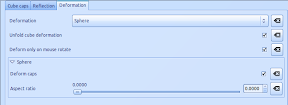
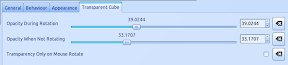
==============_setting in desktop cube_=====================


==============_setting for wobbly windows_==================

====================_setting in visual effects_==========================

====================_setting for simple-compizconfig-setting-manager_==============


===========================================
===========================================
2)= linuxmint-debian.
** install 'compiz' package with all which necessary / supplementary.
** be sure if the vga (non-free), already installed the driver additions.
** open CompizConfig-settings-manager in system-preferences.
** tick the required fields: desktop cube, rotate cube, viewport switcher, show desktop,
3d windows, animations, wobbly windows, cube atlantis, etc..
**disable for desktop wall
**setting 'compiz', according with drawing instructions.
**activate 'compiz' with : right click mouse in 'compiz-fusion-icon' : right click, select 'reload window manager'. (make sure the 'select-window-manager' into the compiz).
**close.
===============================================================
====================_setting manager in 'compiz'_====================


=================_setting in '3d windows'_=====================

==============_setting in 'cube atlantis'_=======================


======================_setting in 'wobbly windows'_====================

==============_settings manager in 'compiz-fusion-icon'_==========

=================_reload window manager_===========

===========================================
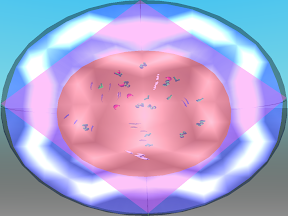
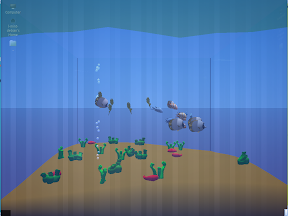
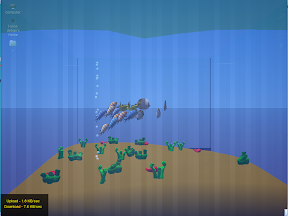
disable for : inside cube =


enable for : inside cube =






===================================================
Comments

i like it...

BRAVO!

GREAT JOB :-)

Really great job! Many thanks!!!
Fantastic! Wonderful! When time free, make another sample to Mint Gnome
Main Edition 11 Katya.
Congratulations!
@efthialex, thank you......friend.

Great Job! (y)