xcwcp
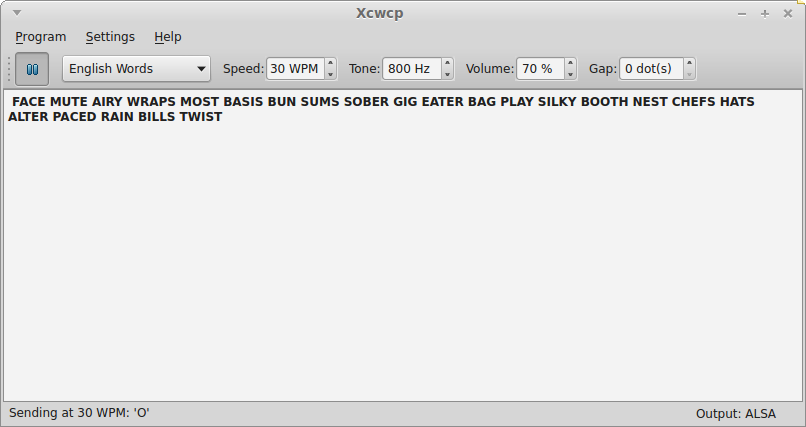
This package provides an interactive Morse code tutor with a Qt4 user interface. It allows choosing from a number of options for practice, including sending random characters, random words, and characters from the keyboard. It will also receive Morse code sent using the keyboard or mouse as a Morse keyer, and display the characters it sees.
Latest reviews

It is good but not perfect. I modified one of my mouse and I put 3,5 jack socket on mouse but it is usefull only with lambic key. If you want to use like straight key you can use only with SPACE or ENTER from keyboard (not working). I can put foto with my mouse but reviw do not allowed this. Also I do not where the config is to modify some parameters (like font size and color, tone, volume) at the begining without modifiing every time I start xcwcp. There are Close and Quit in Program menu and no config or setings. Maybe at menu About is better to put some info about how to conect Key to this software (straight or lambic). Another future feature would be if the background could be changed to black. Right click and Properties, you can add "xcwcp -v, --volume=10"
One of the BEST Code Tutor Programs available. Terrific and enjoyable to use! Best of all, VERY customizable. For beginners, this program is particularly helpful. Nice interface. Remember, its graphical, but starts at the terminal with: xcwcp. You can make a desktop shortcut if you like...
Nice. but the text does not seem to be syncronized with the code as it is coming out and it seemed I needed to type it in a separate editor then check it myself. may need some more work
