com.bitwarden.desktop
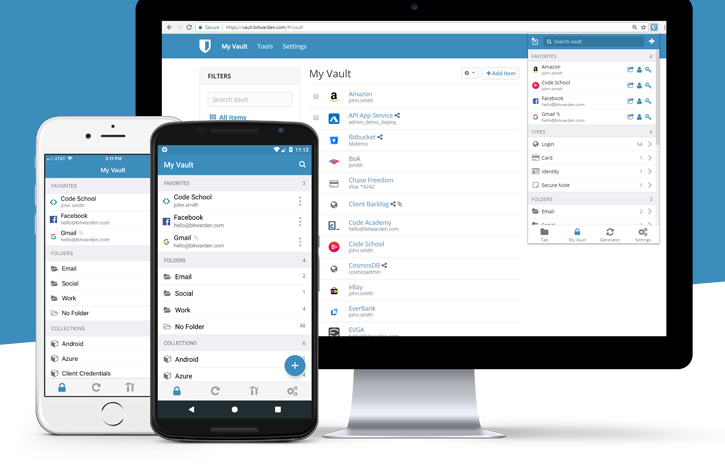
Bitwarden is the easiest and safest way to store all of your logins and
passwords while conveniently keeping them synced between all of your
devices.
Password theft is a serious problem. The websites and apps that you use
are under attack every day. Security breaches occur and your passwords
are stolen. When you reuse the same passwords across apps and websites
hackers can easily access your email, bank, and other important
accounts.
Security experts recommend that you use a different, randomly generated
password for every account that you create. But how do you manage all
those passwords? Bitwarden makes it easy for you to create, store, and
access your passwords.
Bitwarden stores all of your logins in an encrypted vault that syncs
across all of your devices. Since it's fully encrypted before it ever
leaves your device, only you have access to your data. Not even the
team at Bitwarden can read your data, even if we wanted to. Your data
is sealed with AES-256 bit encryption, salted hashing, and PBKDF2
SHA-256.
Bitwarden is 100% open source software. The source code for Bitwarden
is hosted on GitHub and everyone is free to review, audit, and
contribute to the Bitwarden codebase.
Latest reviews


I had no trouble installing and using Bitwarden on a fresh install of LMDE7, using the suggested Flatpak. I'm a distro hopper and, so far, I only had trouble running this application once and it was a few years ago, on another distro (I don't remember which, sorry).

Can't give this thing less than a perfect 5/5 even though it has a few little quirks. It can be completely stored locally without ever even connecting to their server if you insist. Just works and does more than you could ask. It's good enough atm I'd pay for it if it wasn't free.

Es la mejor. La vengo utilizando desde hace un par de años en todos mis dispositivos, tanto en computadoras con SO Windows, ahora en Linux y también en Android. Ademas, las tiene extensiones para la mayoria de navegadores web y funcionan de maravilla.

I've used this service for years now and I still think it's the best password manager out there. Having a standalone app makes it easier to access too. (Especially if you setup a keyboard shortcut to open it like I did.)


Έχω χρησιμοποιήσει το Bitwarden ως χρήστης εδώ και χρόνια. Είμαι πολύ ικανοποιημένος!
Kein Login mit Sicherheitsschlüsseln für 2FA. So ist Bitwarden für mich unter Linux nicht brauchbar.

Ich nutze Bitwarden schon seit Jahren als Pro Nutzer (10€/Jahr). Bin sehr zufrieden! Bin jetzt nur von Snap auf Flatpak gegangen, weil MINT es unterstützt. Und das ist gut so! Germany 5 Points :-)
works great. only had a couple issues with syncing at one point. otherwise it's free and even works from the cli
Agreed with below, absolute best free password manager, and its open source

I've been a keen user of Bitwarden since the early beta days. Moved from using the Appimage version to the Flatpak version when it became available. For awareness a bug in this Flakpak appeared recently [Oct/Nov 2023] when opening the app which results in username & password windows being invisible. Experienced this on 2 of my three LM21.2 machines running BW 2023.10.0 There has been several bug reports raised by the community on Github about this problem which appears to be related to GPU caching. However, the flatpak version is not managed by Bitwarden. There is a currently a workaround by typing the following command in the terminal which works for me. rm -rf ~/.var/app/com.bitwarden.desktop/config/Bitwarden/Partitions/bitwarden/GPUCache. [update: 5-Mar-24] I can confirm the flatpak desktop version works well with Yubikey 5 NFC. Just remember to 'logout' rather than 'quit' to force 2FA login. Simply lovely !.